Echo Dot (5th Gen) Review: Improved Sound, Alexa Routines, Sensors
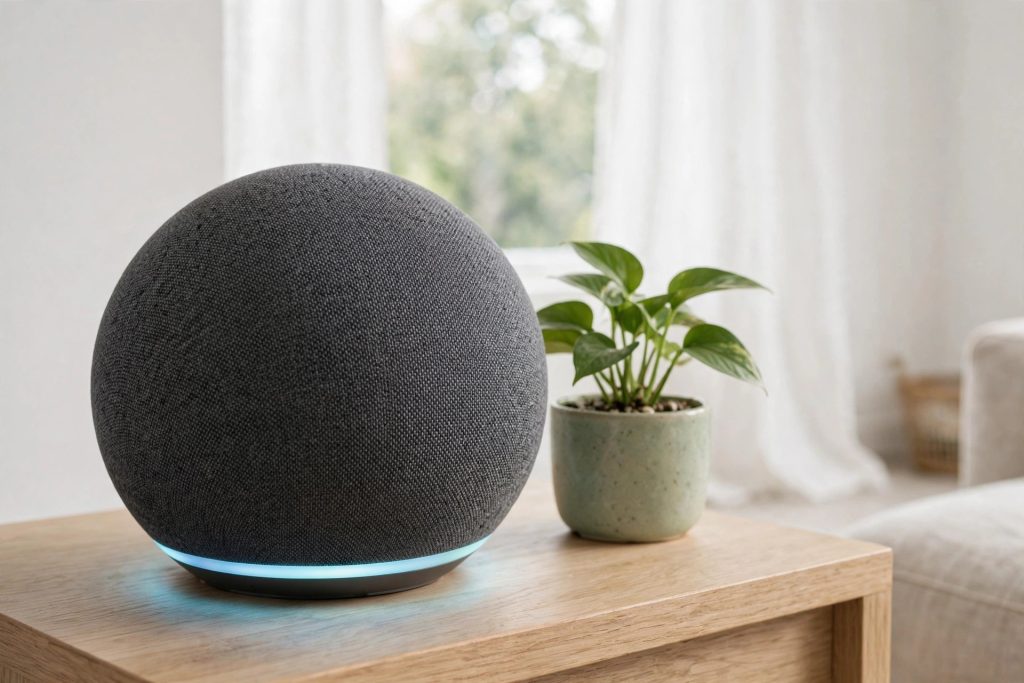
The Echo Dot (5th Gen) is the compact smart speaker most people picture when they think of Alexa — a small sphere that sits on a nightstand or kitchen counter and answers questions, plays music, and runs your smart home. This guide breaks down what the fifth generation actually improves, who it suits, and where the cheaper or Google-flavored alternatives make more sense.

Quick Answer
Related: See our August Wi-Fi Smart Lock (4th Gen) Review for a detailed comparison.
The Echo Dot (5th Gen) is the right pick for most Alexa households: it sounds noticeably fuller than older Dots, adds a built-in temperature sensor for smarter routines, and stays small enough for any room. Google-household shoppers should look at the Nest Mini instead; if you only want the cheapest Alexa entry point, the smaller Echo Pop undercuts it.
Compare Top Smart Speakers
Three proven picks side by side — choose the one that fits your needs.
Echo Dot (5th Gen)
Bigger sound, built-in temperature sensor, and Alexa routines that make a room genuinely smarter.
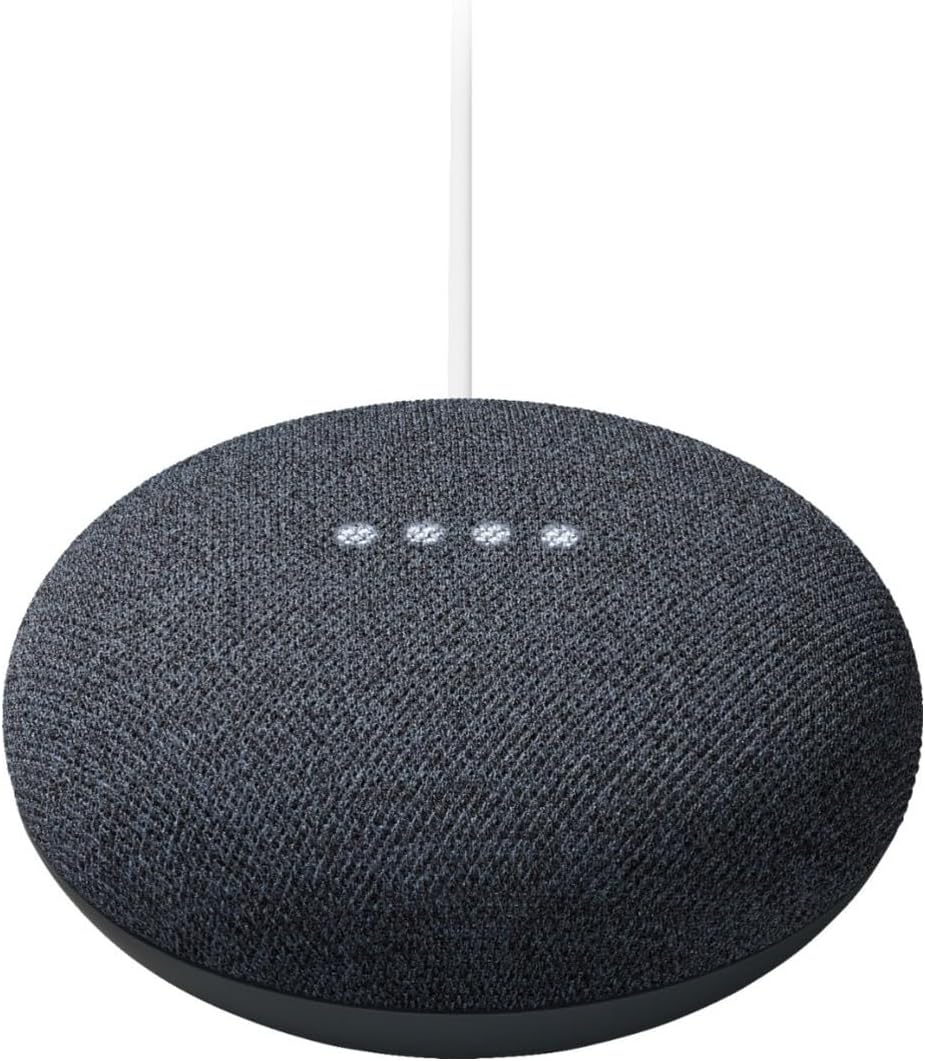
Google Nest Mini (2nd Gen)
The Google-ecosystem pick — compact, wall-mountable, and the natural choice if your home runs on Google Assistant.
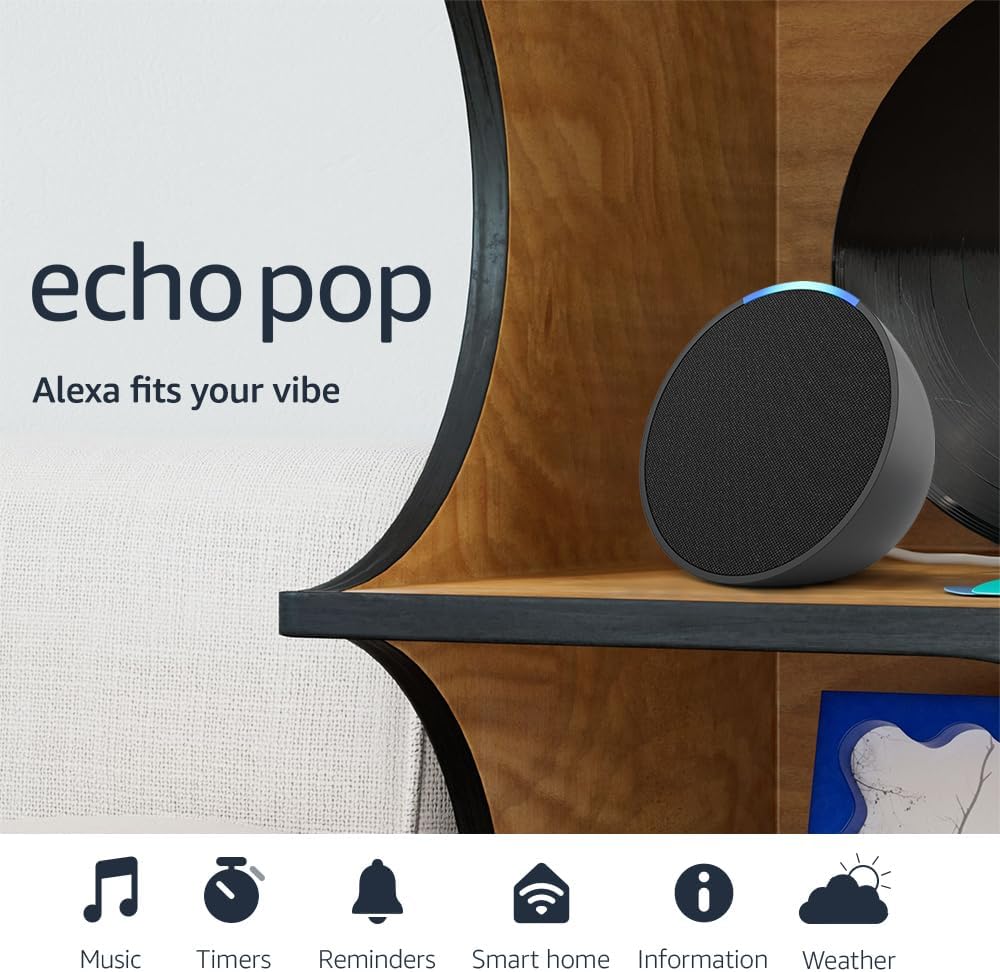
Echo Pop
The cheapest way to get Alexa in a room — small and cheerful, but the sound is a clear step down from the Dot.
Prices and availability may vary — tap any product to check the current listing.
What to Look For When Buying a Smart Speaker
Shopping for a compact smart speaker feels simple until you realize the little orb on your counter will hear everything you ask it for years. The differences between models are quiet but real — and they compound daily. Here’s what actually separates a good buy from a dusty paperweight.
Sound quality: voice-first or music-first?
Be honest about what this speaker will mostly do. Timers, weather, the odd podcast? Any compact model handles that. Music is where they split: the 5th Gen’s larger driver puts vocals forward and gives bass real presence instead of the cardboard thump of older Dots. Still, physics is physics — a grapefruit-sized speaker does background listening, not critical listening. Dot versus the smaller Echo Pop on sound? The Dot wins every time.
Which voice assistant runs your life?
The most important criterion, and people still get it wrong. Android phone, Google Calendar, Google everything? The Nest Mini is frictionless — assistants are only as good as the data they can reach. Alexa’s edge is smart-home breadth: huge third-party device support, and routines (multi-step automations triggered by a phrase, schedule, or sensor) that are the most capable among compact speakers. People underuse routines, then can’t live without them.
Smart home control and routines
A smart speaker without smart devices is a kitchen timer that tells jokes. Add two or three smart plugs and “goodnight” kills the lamps, locks the door, sets the thermostat. The 5th Gen’s temperature sensor adds a quiet superpower: routines can react to the room getting warm or cold, not just to the clock. A bedroom fan on a smart plug gets surprisingly close to cheap climate automation. The Nest Mini has no equivalent sensor — a small gap that matters daily.
Size, placement, and the room it lives in
The Dot’s sphere disappears on a shelf — about a coffee mug’s footprint. Bedrooms, desks, offices: anywhere a bigger speaker can’t go. Placement matters more than people think — wedged in a bookshelf corner, even the improved Dot sounds muffled; six inches of breathing room fixes it. The Nest Mini wall-mounts, a neat trick for cramped kitchens. The Dot just sits where you put it.
Privacy controls you can actually use
All three have a mic-off button that electrically disconnects the microphone, and both ecosystems offer auto-delete for voice recordings. Turn auto-delete on during setup — thirty seconds, highest-leverage privacy move. Don’t overthink the category into paralysis, but don’t skip the settings.
Longevity and software support
Smart speakers age in software, not hardware. New features — better routines, sensor integrations — land on current models first, and the 5th Gen is the current mainstream Dot. In this category, “just get the current one” is genuinely good advice.
How to Match the Smart Speaker to Your Situation
Three shoppers, three right answers. See which one you are.
The first-timer: “I’ve never owned a smart speaker”
Get the Echo Dot (5th Gen) — unless your household is already Google through and through, then get the Nest Mini. Start with one speaker where you spend the most waking hours, live with it a month, and you’ll know exactly what you want next. Most people either buy two more or realize one is plenty.
The upgrader: “My old Dot is getting long in the tooth”
Coming from a 2nd or 3rd Gen, the 5th Gen is a meaningful jump — better sound for daily music, plus the temperature sensor as a new routine trigger. On a 4th Gen? The upgrade is incremental; your money is better spent on a second speaker for stereo pairing or another room. Skipping a generation is usually worth it; upgrading one rarely is.
The Google household: “Everything I own says Google on it”
Don’t buy Alexa to be contrarian. The Nest Mini slots into your setup with zero friction — calendar, reminders, the works. You give up the Dot’s routine depth and temperature sensor, but that only stings if you’re orchestrating a dozen smart devices. For weather-and-timers households, you’ll never notice.
How the Tiers Compare
Compact smart speakers cluster into a few clear tiers. Here’s the landscape at a glance.
| Type / Tier | Best For | Price Tier | Key Feature | Watch-Out |
|---|---|---|---|---|
| Budget compact (Echo Pop class) | Kids’ rooms, garages, first Alexa toe-dip | Budget-friendly | Cheapest entry to a full voice assistant | Sound is thin; you’ll outgrow it for music |
| Mainstream compact (Echo Dot 5th Gen) | Bedrooms, kitchens, offices — the default pick | Mid-range | Best balance of sound, sensors, and routines | Overkill if you only need a kitchen timer |
| Google-ecosystem compact (Nest Mini) | Google households, wall mounting | Budget to mid-range | Deepest Google service integration | No temperature sensor; weaker smart-home routines |
| Full-size smart speaker | Living rooms where music is the point | Premium | Room-filling sound with the same assistant | Costs multiples of a Dot; bigger footprint |
The budget compact tier exists for one reason: getting an assistant into rooms where sound quality doesn’t matter — and it does that job well.
The mainstream compact tier is where most buyers land, because it’s the only tier that does everything adequately: decent music, real smart-home control, and sensors that enable actual automation.
The Google-ecosystem compact is a lateral move, not a downgrade — for Google households it’s arguably the best tier, and the wall-mount trick solves a real kitchen problem.
The full-size tier is an upgrade path, not a starting point — for people who loved the assistant and now want the music to match.
Questions People Ask Before Buying
These are the questions shoppers actually type into search and AI assistants when they’re close to buying. Straight answers, no fluff.
Is the Echo Dot 5th Gen actually better than the 4th Gen, or is it just marketing?
It’s genuinely better in two ways that matter — the larger driver delivers noticeably fuller sound with real bass presence instead of the thin, rattly output of older Dots, and the new temperature sensor unlocks routines that react to the room itself — but if you own a 4th Gen and only use it for timers and weather, the upgrade won’t change your life and your money is better spent on a second speaker for another room.
The 4th Gen introduced the sphere; the 5th Gen refined what’s inside. Upgrading from a 3rd Gen or older, you’ll feel it immediately.
Echo Dot vs Google Nest Mini — which one should I actually buy?
Buy the one that matches the ecosystem you already live in — Alexa households should get the Echo Dot (5th Gen) for its stronger smart-home routines, better sound, and temperature sensor, while Google households should get the Nest Mini 2nd Gen because it plugs straight into Google Calendar, reminders, and services with zero friction — and crossing ecosystems just to chase a spec will annoy you every single day.
Feature-by-feature, the Dot wins on sound and automation. But the “best” speaker is the one that knows your calendar without a workaround.
Can the Echo Dot replace a proper speaker for music, or will I be disappointed?
It can replace a cheap Bluetooth speaker for background listening — cooking, cleaning, falling asleep — because the 5th Gen’s fuller sound handles vocals and acoustic music surprisingly well, but it cannot replace a real stereo setup for anyone who cares about music, since a grapefruit-sized driver simply can’t move enough air for room-filling bass or detailed highs no matter how good the tuning is.
Two Dots paired in stereo help, but that’s doubling down on a compromise. If music is the priority, budget for a bigger speaker.
Is it worth buying if I only want timers, alarms, and smart home control?
Yes, and you’re actually the ideal buyer — the Echo Dot (5th Gen) shines brightest as a voice-controlled hub for timers, alarms, and smart-home routines, where its improved microphone pickup and automation depth matter far more than its sound quality, and the temperature sensor even lets routines react to the room getting warm or cold — though if you’ll literally never play music, the cheaper Echo Pop does the same voice job for less.
Does the Echo Dot work well as a bedroom speaker?
The bedroom is arguably the Echo Dot’s best room — the compact sphere fits a nightstand without crowding it, the improved sound is plenty for sleep sounds and morning news, the temperature sensor can trigger a fan routine on warm nights, and the tap-to-snooze gesture means fumbling for your phone at 6 a.m. becomes optional — just keep the LED ring’s brightness in mind if you’re light-sensitive, since it can’t be fully dimmed during alarms.
Your First Smart Speaker? Start Here
Pick the assistant already on your phone, buy one speaker, put it where you spend the most time, and give it a month. Week one is novelty — dumb questions, jokes. The real test is weeks two to four: do you say “set a timer” instead of reaching for your phone with wet hands? Most people do. If the habit forms, you’ll want a second speaker within six months.
First-timers put the speaker where it looks good instead of where they’ll talk to it. A Dot on a high shelf across the room is decoration; on the kitchen counter at arm’s length, it’s a tool. Three feet beats thirty feet.
Already Deep in Google’s Ecosystem?
Settle it without tribalism: Android phone, Google Calendar, maybe a Chromecast — the Nest Mini is the rational buy. It answers “what’s on my calendar” natively and the wall mount gets it off the counter. You give up the Dot’s temperature sensor and deeper routines, but that only hurts if you’re orchestrating a dozen smart devices.
The one exception: a mixed household where someone already runs Alexa routines. Two ecosystems under one roof is a special misery — pick one and commit.
Common Mistakes Buyers Make
Buying the wrong ecosystem
The number one regret isn’t sound quality — it’s buying Alexa for a Google household or vice versa, then fighting workarounds for months. Check your phone’s default assistant before any spec sheet.
Expecting a concert from a grapefruit
Compact speakers get bought for voice and judged on music — backwards. Set the expectation at “great background music” and you’ll be delighted; set it at “replace my stereo” and nothing compact will satisfy you.
Never setting up routines
Most Dots live as expensive kitchen timers because owners never open the routines menu. Spend twenty minutes on two or three routines in week one — a morning briefing, a goodnight shutdown — and the speaker’s value roughly triples.
Placing it where it can’t hear you
Inside a closed cabinet, behind the TV, wedged between books — all terrible. Voice control needs proximity. Six inches of clearance, within conversational distance of where you stand. Get this right and even the cheapest model feels responsive.
Why, How, What: Quick Answers
Why do people upgrade from an older Echo Dot to the 5th Gen?
Sound and sensors. The larger driver is the first Dot that doesn’t sound like a compromise for daily music — owners of 2nd and 3rd Gen models call it the difference between “tolerable” and “pleasant.” The temperature sensor turns the Dot from a voice remote into an automation trigger. Together they feel like a new product — if you’re coming from two or more generations back.
How do the temperature sensor and routines change daily use?
A sensor with no routine is just a number in an app. The change happens when you connect it: a fan that kicks on via smart plug when the bedroom warms past your threshold, a thermostat nudge when the living room cools off. It won’t replace real HVAC, but for comfort automation on the cheap it’s effective. Start with one sensor, one routine — add complexity after the first proves itself for a week.
What can’t a compact smart speaker do, no matter which one you buy?
It can’t fill a large room with quality music, hear you over a loud party, or fix bad Wi-Fi — most “my speaker is dumb” complaints trace back to the router, not the speaker. Compact speakers are brilliant executors of simple commands and mediocre improvisers. Buy one for what it’s good at and you’ll never be disappointed.
Frequently Asked Questions
Does the Echo Dot need Wi-Fi to work at all?
Yes — without Wi-Fi it’s a paperweight. Every question, song, and routine runs through the cloud, so a dead router means a dead speaker. It can double as a Bluetooth speaker for your phone offline, but that’s backup mode, not the point.
Can I pair two Echo Dots for stereo sound?
Yes — two matching Dots pair as a stereo set through the Alexa app, and it’s the cheapest meaningful sound upgrade in the lineup. Both need to be the same generation, so don’t mix a 5th Gen with an older model.
Does it work with Spotify and Apple Music?
Yes, it works with the major music services — link your account in the Alexa app and set your default. Setup takes a couple of minutes, one time. Some service-specific features may behave slightly differently through Alexa than in the native app.
Is there a monthly fee to use Alexa?
No. Voice control, routines, timers, smart home, and music from your linked accounts are all free. There are optional paid extras from the music services themselves, but the speaker never locks basic features behind a subscription.
Can guests or kids use it without messing up my stuff?
Mostly. Anyone in the room can ask for music or timers. The risks are voice purchasing and smart-home control — disable voice purchasing or require a confirmation code in any household with kids or frequent visitors.
How do I stop it from keeping my voice recordings?
Open the Alexa app’s privacy settings and turn on auto-delete for voice recordings. It takes under a minute and it’s the first thing worth doing on any new speaker.
Final Recommendation
For most buyers, the Echo Dot (5th Gen) is the compact smart speaker to get. It fixes the two things older Dots were weakest at — thin sound and limited automation triggers — while staying small, affordable-tier, and dead simple to set up. It won’t replace a real stereo and it won’t convert a Google household, but for Alexa homes it’s the obvious default.
Buy the Nest Mini instead if your life runs on Google services; buy the Echo Pop if you want Alexa in a second or third room for the least money. Everyone else: get the Dot, spend twenty minutes on routines in week one, and put it where you’ll actually talk to it.
OUR TOP PICK
Echo Dot (5th Gen)
Bigger sound, built-in temperature sensor, and Alexa routines that make a room genuinely smarter.
Decision Tree: Should You Buy the Echo Dot (5th Gen)?
→ Already an Alexa household with smart devices? Yes → strong buy. The routines and sensor will slot straight into your setup.
→ Google household (Android, Google Calendar, Chromecast life)? Yes → get the Nest Mini instead. Ecosystem fit beats specs here.
→ Only need Alexa for timers and a second room? Yes → the Echo Pop does the job for less.
→ Upgrading from a 4th Gen Dot? Honestly, skip it — put the money toward a second speaker for stereo or another room.
→ Music-first buyer wanting room-filling sound? Look at full-size speakers instead. No compact model will satisfy you.
Key Takeaways
• The 5th Gen’s real upgrades are the fuller sound and the temperature sensor — everything else is refinement, not revolution.
• Ecosystem fit (Alexa vs Google) matters more than any spec — buy the assistant you already live with.
• Routines are the feature that separates a gadget from infrastructure; set up two or three in the first week.
• Placement beats price: six inches of clearance within conversational distance matters more than which compact model you pick.