Decoding the DUMOS 32-Inch: Is This Small Computer Desk Right For Your Setup?
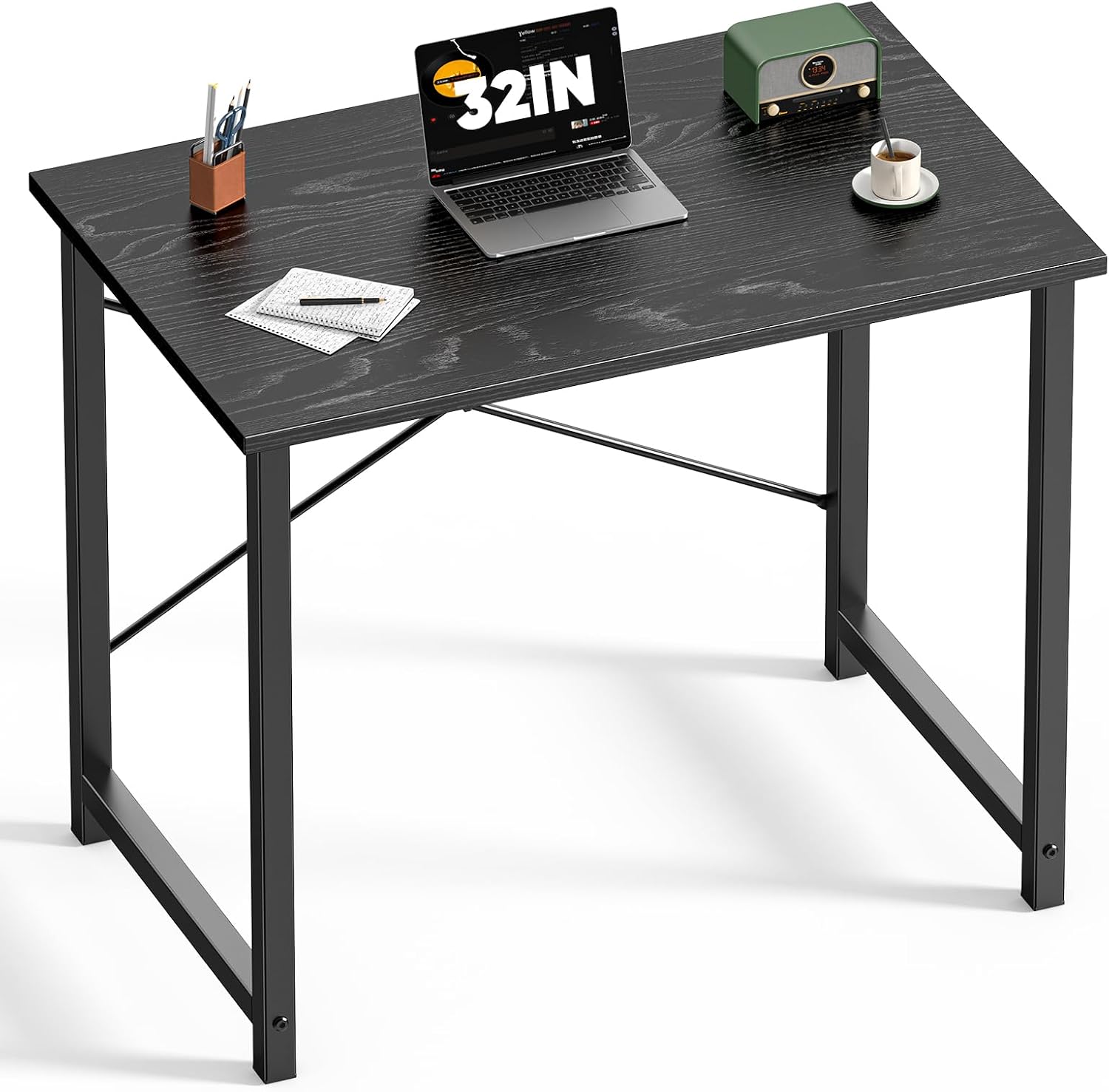
Trying to find the ideal computer desk for a tight spot, maybe your bedroom or a cozy home office setup, often feels like a puzzle. This guide cuts through the noise, specifically looking at the DUMOS 32 Inch Small Computer Desk – marketed as a versatile option for gaming, study, writing, and even craft work. We’ll unpack what makes a small computer desk like this tick and help you figure out if it truly fits your unique lifestyle and needs.
Quick Answer
The DUMOS 32 Inch Small Computer Desk is a solid contender for anyone needing a compact, budget-friendly workstation. Its reinforced structure provides more stability than many desks in its size and price category, making it suitable for light gaming, focused study, or a dedicated writing table without taking over your entire room. It’s not a powerhouse, but it does exactly what it promises for those with limited space.
What to Look For When Buying a Small Computer Desk (The Buying Criteria)
Choosing a computer desk, especially a smaller one, isn’t just about picking something that fits in the corner. You’ve got to think beyond the immediate footprint and consider how it integrates into your daily grind. Here’s what seasoned buyers focus on:
Size and Footprint: More Than Just the Width
Yes, the 32-inch width of something like the DUMOS desk is a key stat. But don’t stop there. You need to factor in depth – how far it sticks out from the wall – and height. Does it leave enough room for your chair to tuck underneath? Will your knees knock the frame? A desk that’s too shallow means your monitor will be too close for comfort, or your mouse pad might constantly slide off. A small desk, by its nature, offers less surface area, which can be a real constraint for multi-monitor setups or anyone who likes to spread out. You’re trading elbow room for floor space, plain and simple.
Stability and Durability: No Wobbly Woes
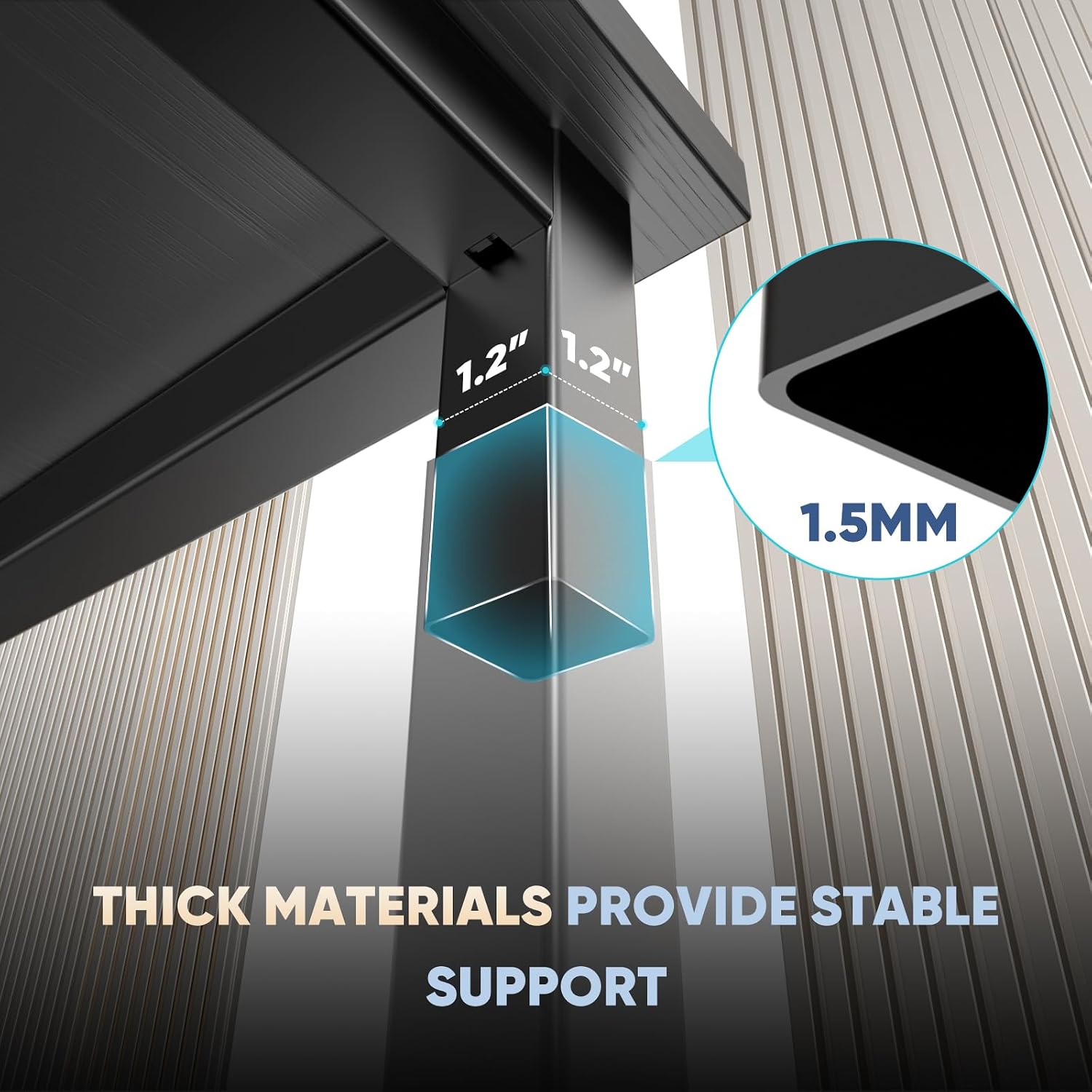
This is where many budget-friendly small desks fall flat, literally. You might save a few bucks, but you get a wobbly mess that flexes every time you type or shift your weight. Look for desks with a reinforced structure, like the DUMOS model boasts, or cross-bracing. A solid steel frame, rather than flimsy aluminum, makes a huge difference. Think about what you’re putting on it: a heavy gaming PC and a large monitor demand more structural integrity than a laptop and a notepad. Nobody wants their display to vibrate with every keystroke.
Material Quality: What’s It Really Made Of?
Most entry-level small desks, including many that look similar to the DUMOS 32 Inch, use engineered wood (particle board or MDF) with a laminate finish. This can be perfectly fine for the price, offering a clean, modern look. However, inspect the laminate. Cheap laminate peels, scratches, and stains easily. A good laminate will resist minor spills and wear. The frame material also matters. Steel is generally preferred for its strength. Be realistic: you’re not getting solid oak at this price point. It’s about managing expectations for what will hold up over time.
Ergonomics and User Comfort: Don’t Skimp on Your Spine
A desk isn’t just a surface; it’s part of your workstation ecosystem. Is the height appropriate for you to sit with your feet flat and elbows at a 90-degree angle? Many fixed-height small desks aren’t adjustable, so you might need to compensate with an ergonomic chair or a monitor riser. If you’re spending hours at this PC workstation, poor ergonomics lead to back pain, neck strain, and general discomfort. Small doesn’t have to mean cramped. You might think you can “make it work,” but your body will eventually object.
Cable Management Options: Taming the Tangled Mess
Even with a single PC, you’ll have power cables, monitor cables, mouse, keyboard, maybe a webcam, speakers… it adds up fast. A good computer desk, even a small one, should offer something to help. This could be simple grommet holes, a small tray underneath, or even just enough space behind the desktop to run cables cleanly. Without it, you’re looking at a spaghetti monster of wires, which is ugly and a dust trap. It’s a small detail that makes a world of difference for a tidy compact workspace.
Design and Aesthetics: Fitting Your Vibe
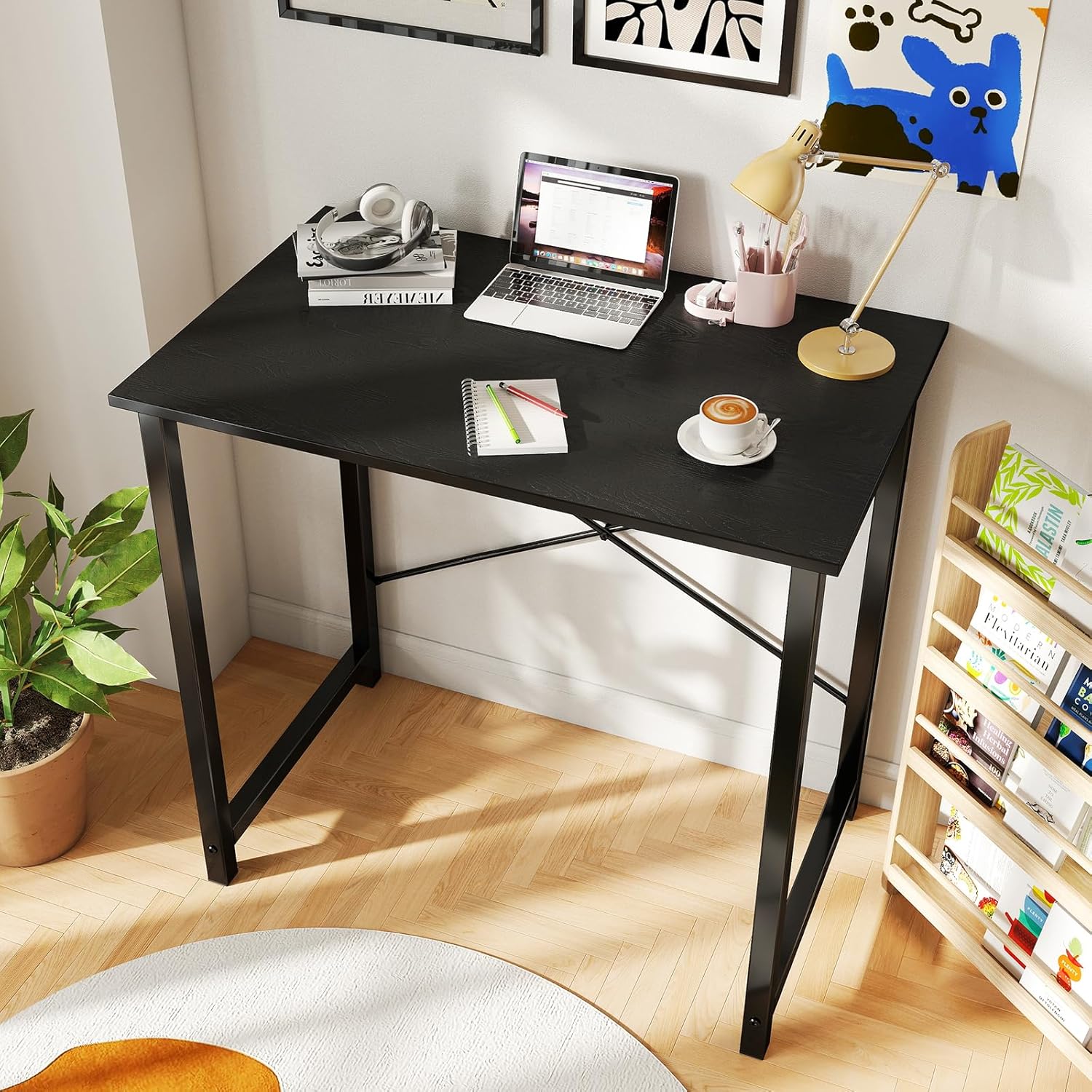
Since this is often a bedroom desk or part of a home office setup, its appearance matters. The DUMOS model, for instance, emphasizes a modern, simple workstation aesthetic in black. Does this blend with your existing decor? Do you prefer a minimalist look or something with more character? Sometimes, a very utilitarian design, while functional, can stick out like a sore thumb in a carefully curated room. Don’t underestimate the psychological impact of a workspace that looks good and feels inviting.
How to Match the Product to Your Situation
Finding the right small desk is about aligning its strengths with your actual daily life. Who are you, really?
The Dorm Dweller / Studio Apartment Resident
You’re battling for every square inch. A desk like the DUMOS 32 Inch is practically designed for you. You need a dedicated spot for your laptop or small PC setup, maybe some textbooks, without overwhelming the room. It needs to be relatively light enough to move if you rearrange furniture, but sturdy enough not to wobble during late-night study sessions. For this persona, the primary benefit is its compact footprint and ability to serve multiple functions in a limited area. It’s a pragmatic choice for necessity.
The Casual Gamer / Focused Student
You’re not streaming professionally, but you enjoy some PC gaming or need a serious study table for research and writing. You might have a single monitor, a console, and a gaming laptop. Stability is key for gaming – no one wants their aim thrown off by a shaky desk. For students, a flat, uncluttered surface is paramount for concentration. This desk’s reinforced structure could be a real advantage here, offering more peace of mind than flimsier options. It’s about getting the job done without breaking the bank or requiring a dedicated “gaming room.”
The Multi-Purpose Home Worker / Hobbyist
Maybe you use your computer desk for work during the day, then transition to a craft desk in the evenings. Or it’s your main writing table, but also where you edit photos. For you, versatility is king. The DUMOS’s simple design, lacking drawers or bulky shelves, offers a clear surface that can adapt. It’s not specializing in one thing, which is its strength. Just be mindful of needing additional storage if your hobbies involve a lot of tools or materials.
Computer Desk Comparison: Tiers and Trade-offs
When you’re looking at compact workstations, they generally fall into a few categories. Here’s how they stack up.
| Type/Tier | Best For | Price Tier | Key Feature | Watch-Out |
|---|---|---|---|---|
| Basic Compact | Absolute minimal space, temporary setups | Budget-friendly | Extremely lightweight, easy to assemble | Stability issues, very limited surface area |
| Reinforced Small | Steady study, casual gaming, WFH essentials | Mid-range | Enhanced stability, decent material finish | Still lacks advanced features, storage is minimal |
| Feature-Rich Small | Dedicated gamers, serious productivity | Mid-range/Premium | Integrated storage, adjustable height | Can get bulky, might exceed true “small” dimensions |
Basic Compact: These are often the cheapest options, barely more than a tabletop on four spindly legs. They’re fine for a laptop and a mug, but don’t expect much in the way of structural integrity or lasting appeal. They’re a quick fix, not a long-term solution.
Reinforced Small: This is where a desk like the DUMOS 32 Inch generally lands. It aims to solve the wobbly problem of the basic tier with stronger frames or cross-bracing. You get a more reliable surface for a monitor and peripherals, making it a better choice for daily use, whether as a study table or a gaming desk.
Feature-Rich Small: These desks try to pack a lot into a small footprint, often with built-in monitor stands, shelves, or even height-adjustability. They can be incredibly functional but often push the boundaries of “small” and can get surprisingly expensive for their size. Make sure you actually need those features, or you’re just paying for clutter.
Scenario-Specific Setups
Small computer desks like the DUMOS 32 Inch truly shine in particular environments.
The Dedicated Gaming Corner
Look, a 32-inch desk isn’t going to host three ultrawide monitors and a full-tower rig. But for the gamer who maybe runs a single 27-inch monitor, a console, and a gaming laptop, this size is surprisingly workable. The crucial bit here is the stability. A reinforced structure minimizes screen wobble during intense keyboard and mouse action. You’ll want to pair it with a good monitor arm if you can, to free up precious desktop real estate. Cable management becomes even more vital in a gaming setup to keep everything looking sharp and prevent snags. Don’t forget, a small desk forces you to be smart about your peripherals.
The Home Office Nook
For many, a spare corner or even a closet has become the new office. A small computer desk becomes the anchor for your home office setup. It needs to be functional but not visually intrusive. The DUMOS’s modern, simple design fits this bill nicely. It’s less about accommodating a massive tower and more about providing a clean, focused area for a laptop, external monitor, and maybe a small printer. You’ll likely need to invest in some clever vertical storage — wall shelves, a small rolling cabinet — because the desk itself won’t offer much.
The Student’s Study Hub
A student’s bedroom desk often pulls double duty for homework, online classes, and downtime. It’s got to withstand daily abuse but also look decent enough not to detract from the room’s overall feel. A 32-inch desk offers enough space for textbooks, a laptop, and maybe a second screen for research. The lack of excessive drawers might seem like a drawback, but it encourages a minimalist approach, which can actually boost focus. A clear desk, clear mind, right? Just ensure there’s enough space for both your computer and physical notes.
Common Mistakes Buyers Make with Small Desks
Even for something seemingly simple, there are pitfalls.
- Ignoring Depth: People obsess over width. “Oh, 32 inches, that fits!” But then the desk arrives, and their monitor sits so close it feels like they’re nose-to-screen. Or, worse, their keyboard and mouse don’t have enough room. A shallow desk forces you into uncomfortable postures. Always check both width and depth.
- Underestimating Wobbly Potential: Many budget small desks are notorious for feeling flimsy. You see a picture, it looks fine. You assemble it, and suddenly every movement makes your monitor jiggle. This isn’t just annoying; it can actually hurt productivity and comfort. Don’t assume “simple” means “sturdy” unless the construction details explicitly mention reinforcement.
- Forgetting Cable Clutter: With less surface area, cable management becomes more important, not less. Without proper channels or ties, your small desk will quickly look like an electrical fire waiting to happen, burying your limited space in cords. It’s easy to overlook this until you’re elbow-deep in tangled wires.
- Not Visualizing the Actual Setup: You think you’ll put your monitor, keyboard, mouse, maybe a speaker or two. Have you measured your actual monitor base? Your laptop’s footprint? That “small” speaker isn’t so small when it’s eating up 20% of your surface. Map it out, even with painter’s tape on the floor or a cardboard cutout, before you buy. You’ll be surprised how quickly 32 inches disappears.
Why/How/What for Small Workstations
Why is a reinforced structure important for a compact desk?
A reinforced structure is crucial because a smaller desk inherently has less material and often uses lighter components, making it more prone to instability. Cross-bracing or a strong steel frame prevents wobbling, especially when supporting monitors, PCs, or when you lean on it during use. It ensures a solid, dependable surface, which is vital for focus and preventing accidental spills or equipment damage.
How can I make a DUMOS 32 Inch computer desk feel more ergonomic?
Since fixed-height desks like the DUMOS 32 Inch don’t adjust, you’ll need to rely on accessories. Invest in a good ergonomic office chair that allows for height adjustment, lumbar support, and armrests. A monitor riser can bring your screen to eye level, reducing neck strain. Additionally, use an external keyboard and mouse rather than just a laptop, positioning them comfortably for your wrists.
What are the trade-offs of choosing a small computer desk over a larger one?
The primary trade-off is surface area and storage capacity. A small desk limits how much equipment you can comfortably place and how much you can spread out your work. You’ll sacrifice built-in storage, deep drawers, or space for multiple large monitors. However, the benefits are significant for compact living: easier placement in tight spaces, less visual clutter, and often a more budget-friendly price point.
FAQ
Is a 32-inch computer desk big enough for gaming?
It can be, for casual setups. A 32-inch desk typically accommodates a single monitor (up to 27-30 inches), a keyboard, and a mouse comfortably. For larger gaming rigs or multiple monitors, you’ll find it quite cramped.
What’s the best way to utilize limited space on a small desk?
Go vertical! Use monitor risers with storage, mount your monitor on an arm, or utilize wall-mounted shelves above the desk. Keep only essential items on the desktop itself to maximize usable surface area.
Can a small computer desk also serve as a craft desk?
Absolutely. Its flat surface is perfect for various crafts. The key is to have a durable, easy-to-clean surface and to be mindful of needing external storage for your tools and materials, as the desk itself won’t offer much.
Are these compact desks difficult to assemble?
Most small desks, especially those with a simple workstation design like the DUMOS, are designed for straightforward assembly. They usually involve attaching legs to the desktop and adding any cross-braces, often requiring only a few tools which are typically included.
How important is the material finish for a bedroom computer desk?
Very important. In a bedroom, aesthetics matter. A quality laminate finish not only looks better and resists scratches, but it also integrates more harmoniously with your existing furniture. A cheap, easily damaged surface will quickly detract from your room’s appearance.
Final Recommendation
For those navigating the challenges of limited space – be it a dorm room, a studio apartment, or a cozy bedroom office – the DUMOS 32 Inch Small Computer Desk presents a compelling, practical solution. Its strength lies in its reinforced structure, which is a standout feature at its price point, preventing the dreaded desk wobble common with many compact models. It’s a pragmatic choice for a dedicated student’s study table, a focused writer’s perch, or a casual gamer’s setup where stability for a single monitor and peripherals is paramount.
While it won’t offer acres of space or integrated storage, its unassuming size and modern aesthetic mean it can blend effectively into various home office setups without becoming the room’s dominating feature. If you’re seeking a solid, no-nonsense compact workstation that won’t break the bank and provides a reliable surface for daily tasks, this desk is certainly worth considering. Just be prepared to manage your cables and look to vertical solutions for any extra storage you might need.
#DUMOS #Inch #Small #Computer #Desk #Gaming #Desks #Home #Office #Bedroom #Modern #Study #Writing #Work #Table #Craft #Desk #Simple #Workstation #Reinforcement #Structure #Black